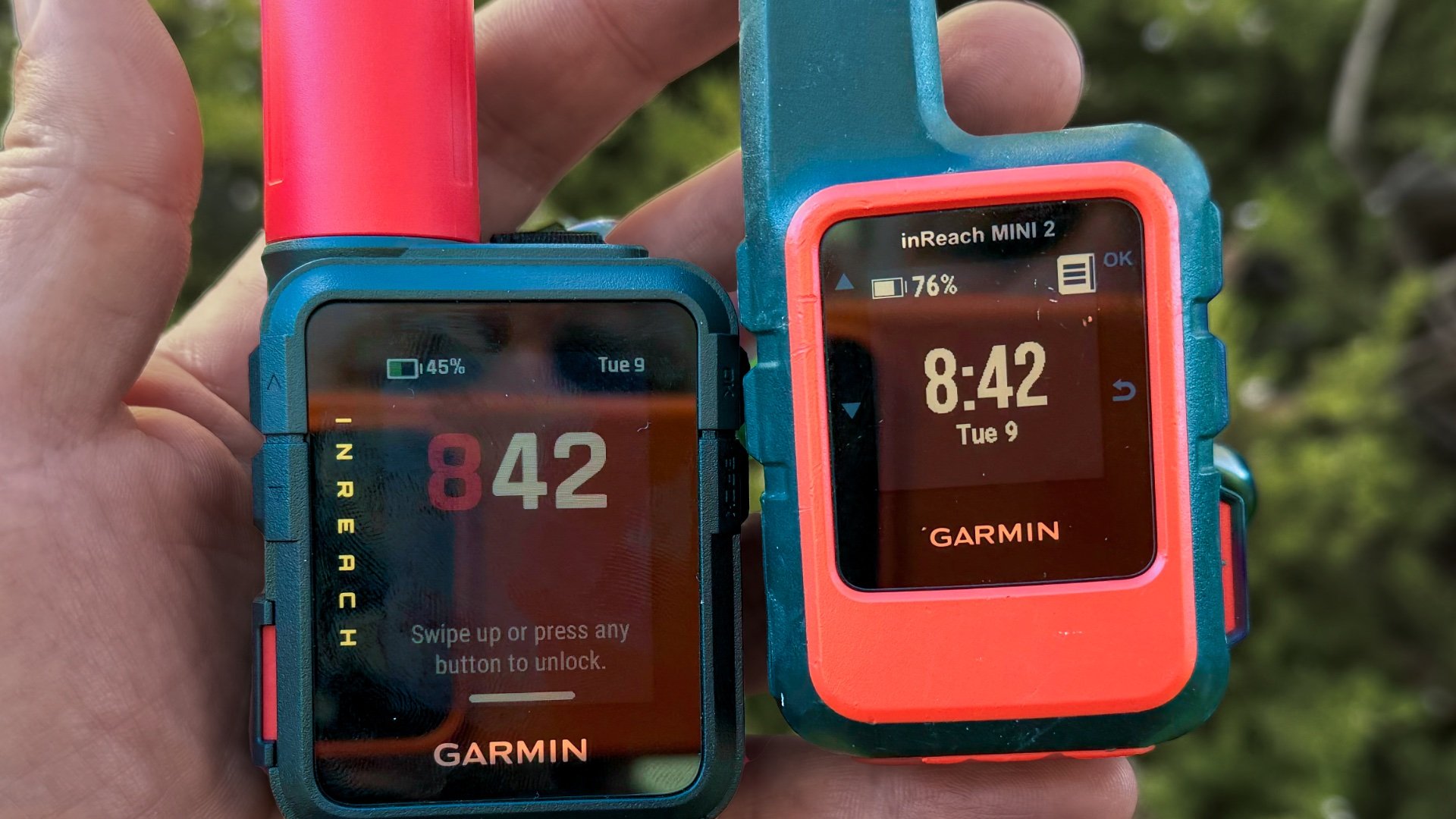
Garmin inReach Mini 2 vs Mini 3: Should You Upgrade?
If you’re trying to decide between the Garmin inReach Mini 2 and the newer Mini 3 or Mini 3 Plus, I'll walk you through what actually matters on the trail. I’ve used the Mini 2 heavily for years as my main satellite communicator, and after hiking with the Mini 3 and Mini 3 Plus, there are some real differences worth understanding before you spend the extra money.
Best Mini 3 Prices: Amazon - REI
Best Mini 2 Prices: Amazon
No Sponsors, No AI
I didn’t accept a free inReach Mini 3 or 2 from Garmin. I bought them myself so I could share honest observations, not marketing bullet points. If you’d like to support independent, ad-free reviews like this, you can join me on Patreon or use my affiliate links at Amazon or REI. Every bit helps keep the site going.
Mini 3 Feature Changes

The Mini 3 gets the biggest redesign we’ve seen on the inReach line, but most of the changes fall into the “quality of life” category. You get a touchscreen, a color display, simple onboard maps, a siren, and voice commands. All of this makes the device nicer to use day to day, especially when typing out messages or moving through menus. None of it changes the core inReach experience, though. SOS, two-way messaging, and live tracking work the same way they have on the Mini 2. If you only use your inReach for the basics, these new features aren’t going to transform how you use the device.
| Feature | Mini 2 | Mini 3 | Mini 3 Plus |
|---|---|---|---|
| Core inReach (SOS, messaging, tracking) | Yes | Yes | Yes |
| Touchscreen | No | Yes | Yes |
| Siren | No | Yes | Yes |
| Basic Navigation (waypoints, courses) | Yes | Yes | Yes |
| Basemap Page | No | Yes | Yes |
| Color Screen | No | Yes | Yes |
| Voice Commands | No | Yes | Yes |
| Multi-GNSS | Yes | Yes | Yes |
| Multi-Band GNSS | No | Yes | Yes |
| Send Photos | No | No | Yes |
| Send Voice Notes | No | No | Yes |
Battery Life Differences
The Mini 3 and Mini 3 Plus both use a larger 1800 mAh battery compared to the Mini 2’s 1250 mAh pack. In real use that gives you a little more runtime, especially if you’re recording detailed activity tracks or checking messages often. It’s a nice upgrade, but not something most hikers will feel day to day. The Mini 2 has always held up well for long day hikes and multi-day trips, and even if your Mini 2 battery is getting tired, you can replace it yourself with an inexpensive kit.
So if battery life is your main concern, the Mini 3 family has an edge, but the Mini 2 remains perfectly usable and much cheaper to keep running.
| Model | Battery Capacity | Notes |
|---|---|---|
| Mini 2 | 1250 mAh | Strong life and easy to replace battery (DIY) |
| Mini 3 | 1800 mAh | Longer runtime than Mini 2 |
| Mini 3 Plus | 1800 mAh | Same battery as Mini 3, drains faster in high-power messaging modes |
Is the battery on your older inReach Mini getting worse? I found these replacement kits on Amazon complete with tools. They are not the same mAh rating but should perform better than a tired battery.
GPS and Multi-Band Accuracy
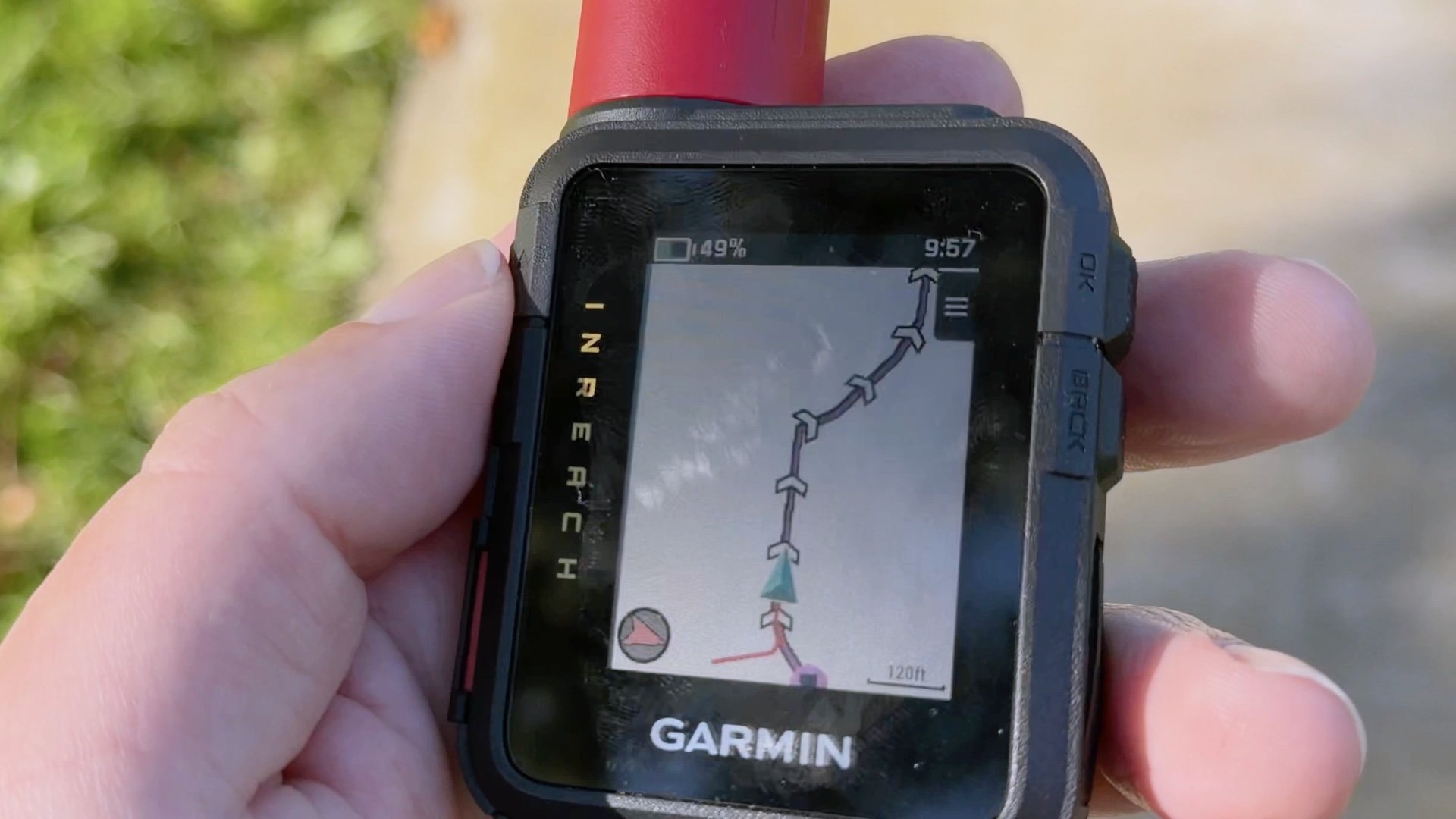
The Mini 2 already does a good job getting a GPS fix thanks to its Multi-GNSS support. The Mini 3 and Mini 3 Plus add Multi-Band on top of that, which helps in places where GPS signals bounce around or get blocked, like canyons, dense forest, or reflective terrain. In practice, the Mini 3 gets a lock a little faster and holds it a little better when conditions get tough.
That said, the onboard maps are extremely limited, so this isn’t something that suddenly turns the Mini 3 into a primary navigation device. It just makes the location data you’re already sending a bit more consistent. For SOS situations or routine tracking points, that can matter, but it’s not a dramatic difference for most hikers.
| Feature | Mini 2 | Mini 3 | Mini 3 Plus |
|---|---|---|---|
| Multi-GNSS Support | Yes | Yes | Yes |
| Multi-Band Support | No | Yes | Yes |
| GPS Fix Speed | Good | Better (faster in tough terrain) | Better (same as Mini 3) |
| Navigation Use | Backup only | Backup only (basemap) | Backup only (basemap) |
Messaging: Mini 3 vs Mini 3 Plus
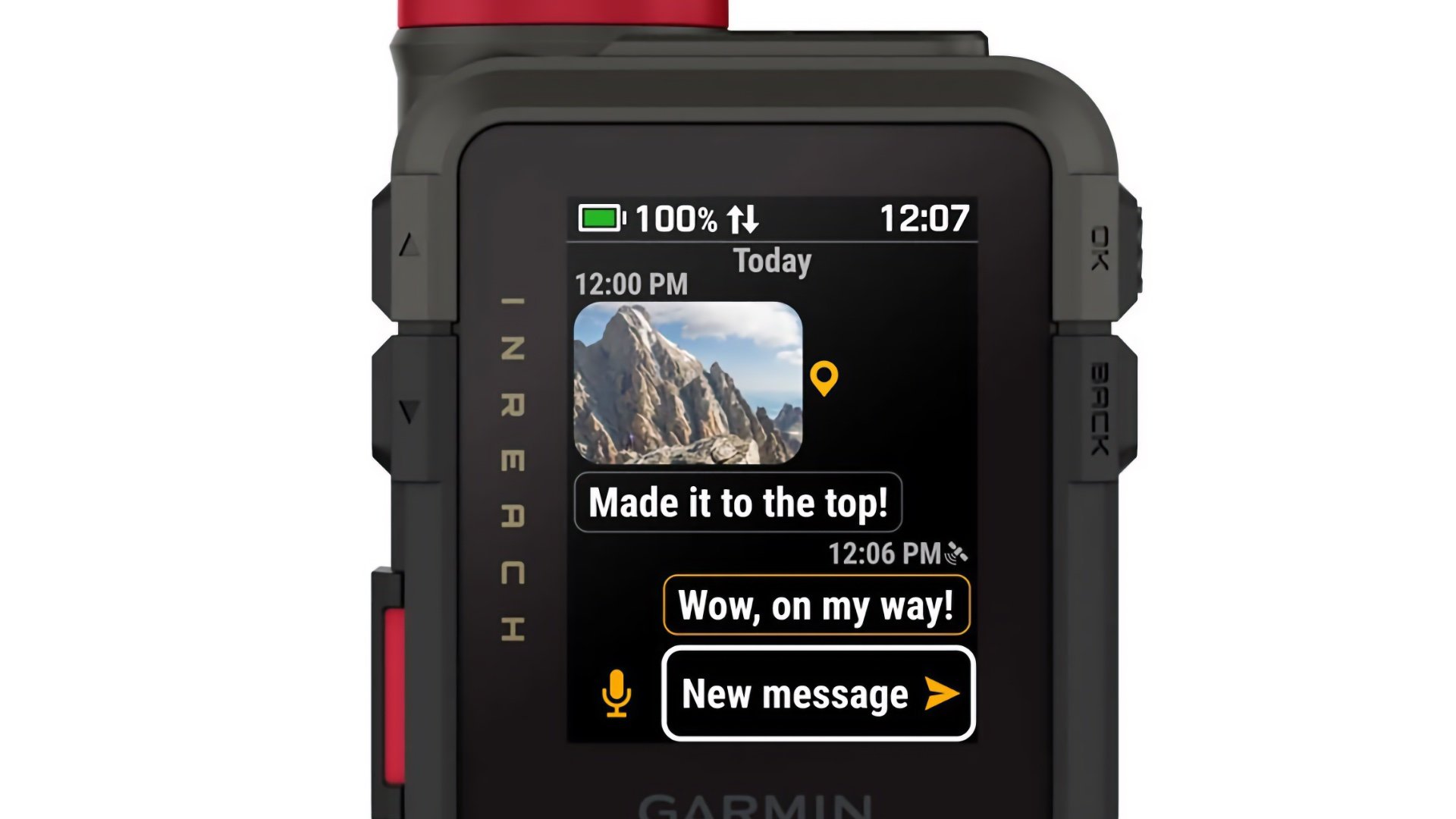
The Mini 3 comes in two versions, and the big difference is the satellite protocol they use for messaging. The standard Mini 3 uses the same Short Burst Data system as the Mini 2, which means the messaging experience is basically identical. The Mini 3 Plus switches to Iridium Certus IMT, which unlocks two things the other models can’t do: sending photos and sending voice notes.
In normal use, I don’t send photos or voice messages casually, but in an emergency those features might make communication easier. Being able to record a quick voice note is a lot simpler than typing on a tiny keyboard if you’re injured, cold, or rattled. The Mini 3 Plus also has higher transmit power, which may help messages push through heavy tree cover more reliably. Nothing is guaranteed, but it’s a meaningful upgrade if you hike in areas where coverage is usually a problem.
For typical day-to-day inReach use, presets, check-ins, two-way messaging, SOS, the Mini 2, Mini 3, and Mini 3 Plus all behave the same.
| Feature | Mini 2 | Mini 3 | Mini 3 Plus |
|---|---|---|---|
| Messaging Protocol | SBD | SBD | Iridium Certus IMT |
| Two-Way Text Messaging | Yes | Yes | Yes |
| Photo Messaging | No | No | Yes |
| Voice Notes | No | No | Yes |
| Transmit Power (Watts) | 1.51 W | 2.63 W | 4.68 W |
| Performance Under Tree Cover | Good | Better | Best (higher wattage helps) |
| Emergency Communication Options | Text only | Text only | Text, photo, voice note |
Weight and Size Differences
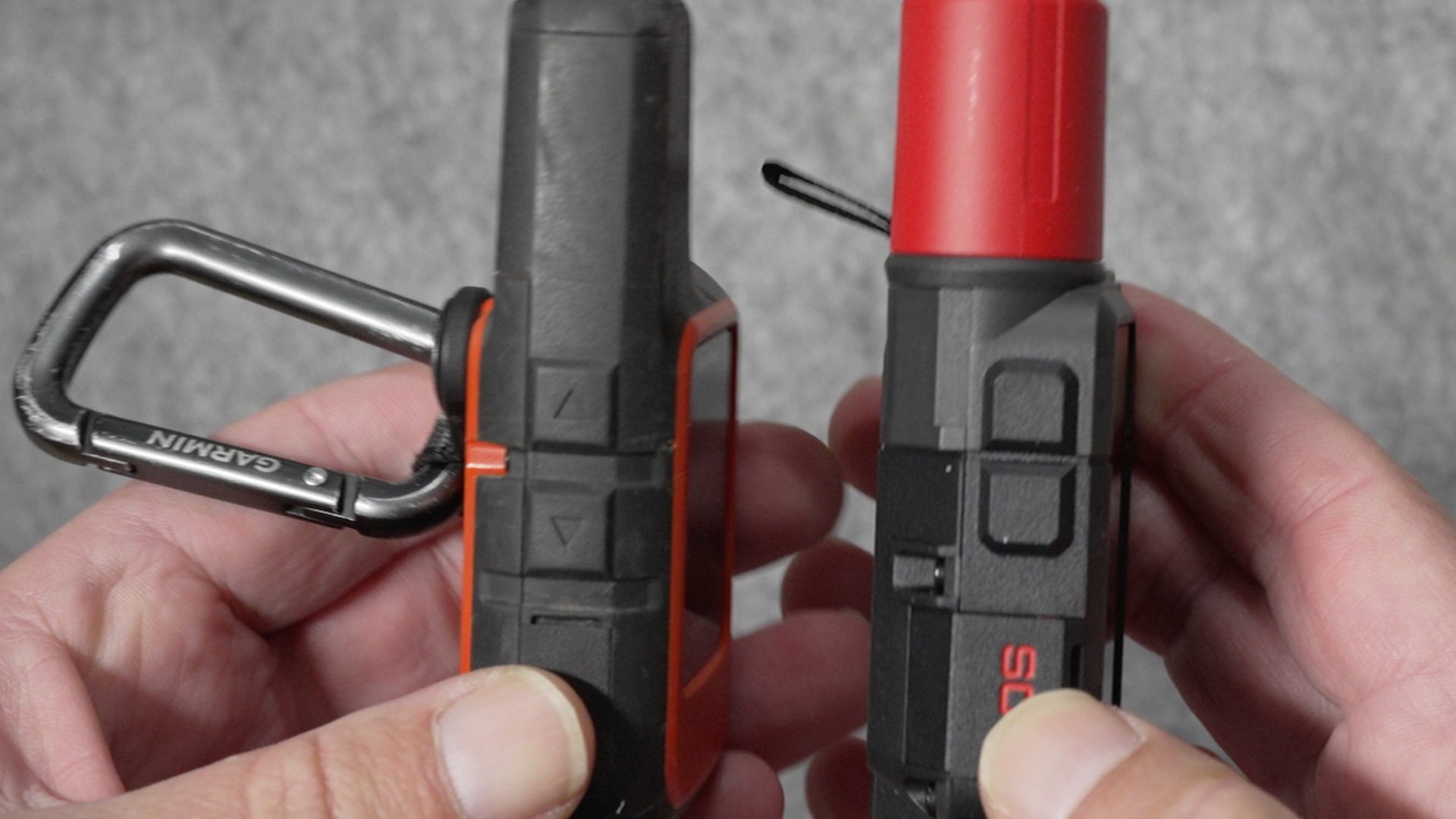
The Mini 3 and Mini 3 Plus are a little bigger and heavier than the Mini 2, mostly because of the larger battery and the new touchscreen hardware. In the hand or on a pack strap, the difference is small enough that you probably won’t notice it. Both still qualify as “tiny satellite messengers,” and both work well mounted on a shoulder strap or small carabiner.
If weight is your top concern, the Mini 2 still wins. But the Mini 3 isn’t suddenly a bulky device, and the size bump didn’t change how it carries on the trail.
| Spec | Mini 2 | Mini 3 | Mini 3 Plus |
|---|---|---|---|
| Weight | 100 g (3.5 oz) | 113 g (4.0 oz) | 113 g (4.0 oz) |
| Dimensions | 2.04 x 3.90 x 1.03 in | 2.17 x 3.90 x 1.06 in | 2.17 x 3.90 x 1.06 in |
Should You Upgrade?
If you already have a Mini 2, most of what the Mini 3 offers falls into the convenience category. The touchscreen, color display, faster GPS fixes, and basic map page are all nice upgrades, but they don’t change the core inReach experience. Messaging, SOS, and live tracking work the same across both devices.
The Mini 3 is worth considering only if you have a specific need: maybe you want the slightly longer battery life, you hike in areas where multi-band might help with GPS fixes, or you like the idea of having the newest hardware. The Mini 3 Plus adds photo and voice messaging, which can make emergency communication easier, and it has higher transmit power that may help under heavy canopy, but these are still emergency-use conveniences rather than everyday essentials.
For most hikers, especially with the Mini 2 on sale, sticking with the Mini 2 is the smarter choice. If your battery is fading, replacing it is an inexpensive and easy way to extend the life of the device without jumping to a new model. If money doesn't matter and you just want the best, the Mini 3 Plus is an easy choice.
What About the Mini 1?
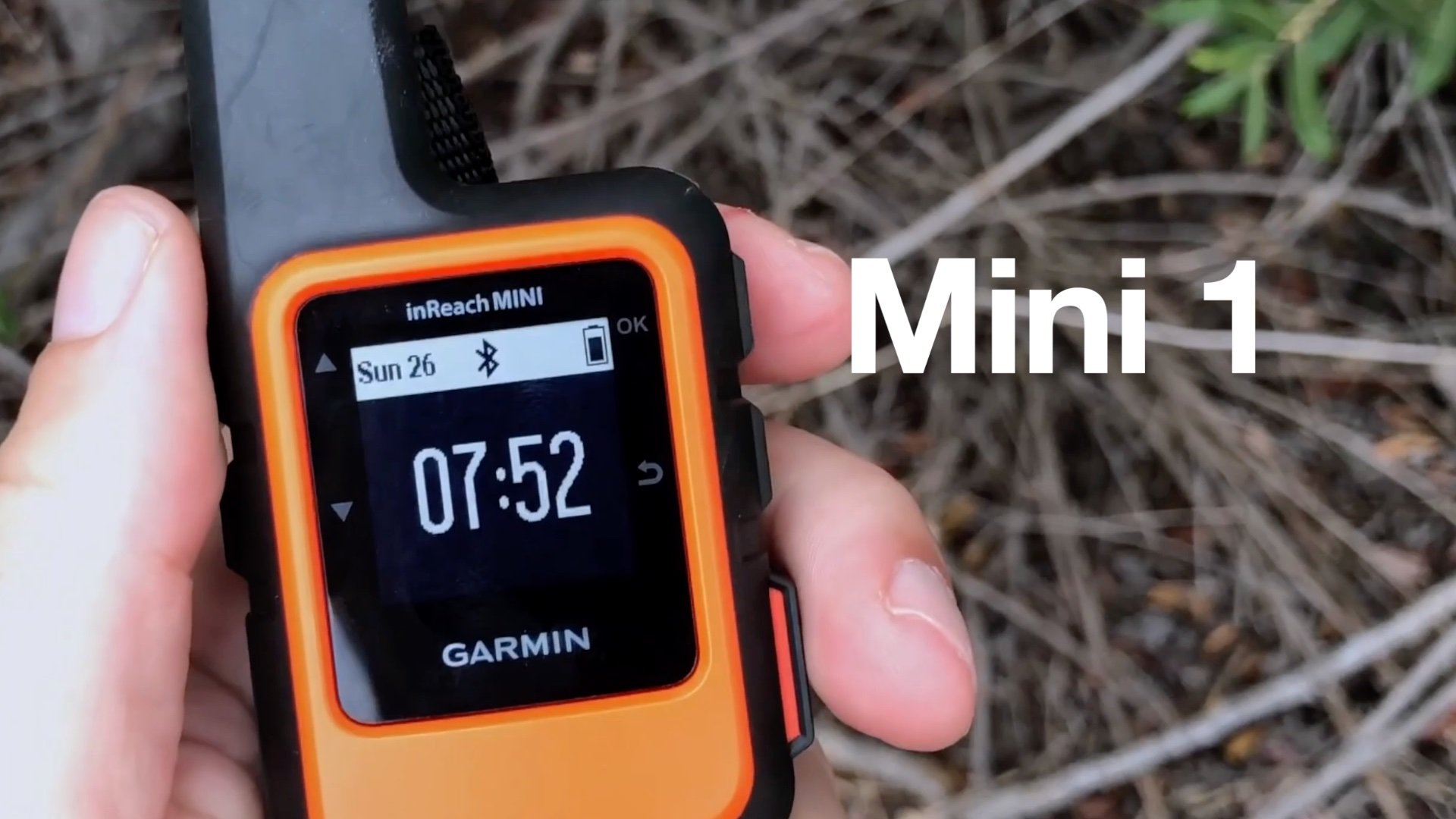
A lot of people are still using the original inReach Mini, and the good news is that the core functionality hasn’t changed. SOS, two-way messaging, presets, and tracking all work the same on the Mini 1 as they do on the Mini 3. You don’t get Multi-GNSS, Multi-Band, a touchscreen, or the newer interface, but if you’re carrying an inReach mainly for emergencies, the Mini 1 still does its job.
If your Mini 1 battery is wearing down, the same vendor that sells Mini 2 replacement kits also makes kits for the Mini 1, and that’s an easy way to keep the device going. Unless you really want the newer conveniences or the Multi-Band accuracy, sticking with the Mini 1 and swapping the battery is a perfectly reasonable option.